
How to Make a Game with AI: Step-by-Step (2026)
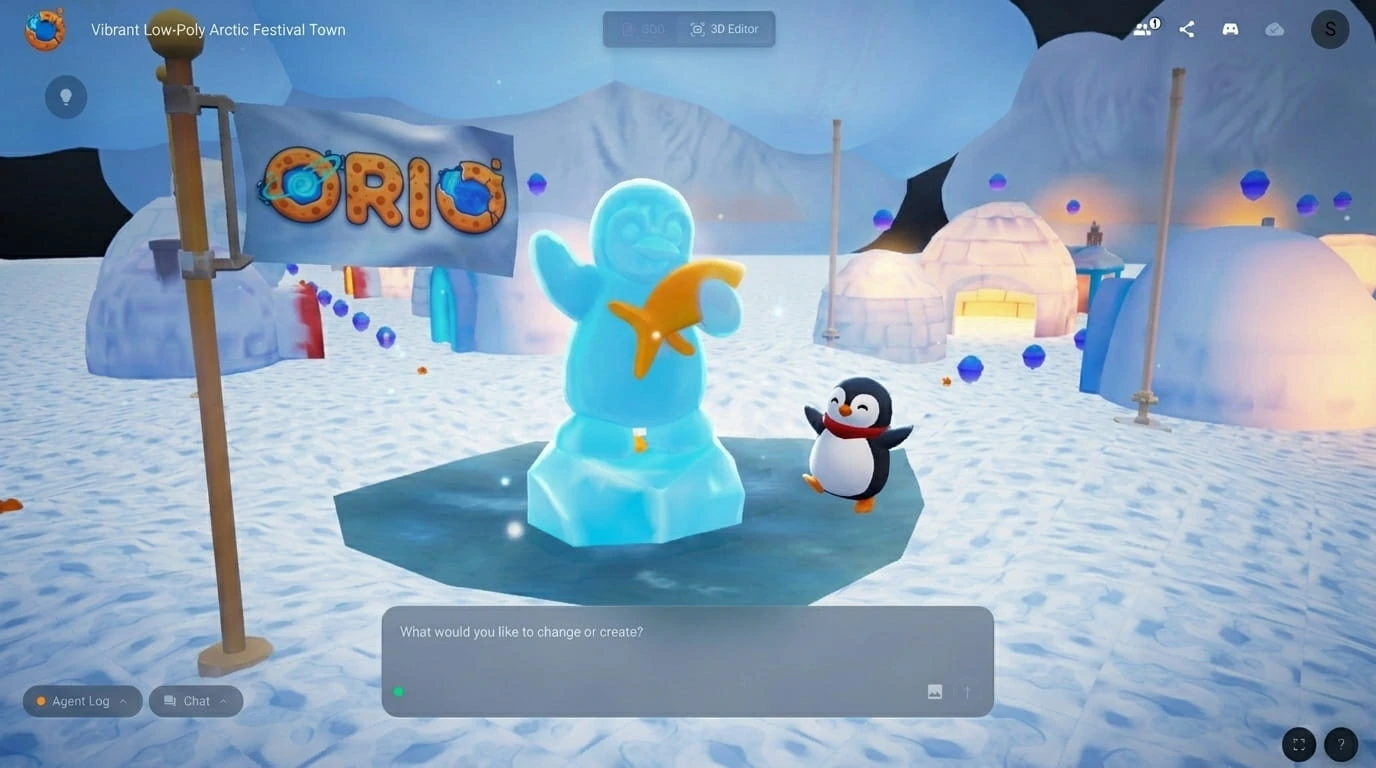
You've heard AI can generate games. Maybe you've seen a 3D world appear from a text prompt. This is the page that shows you exactly how it works — from the first sentence you type to sending a playable game to a friend.
No theory. Just the walkthrough.
What You Get at the End
When you generate a game with Orio, you're not getting a mockup. You get a first playable draft of your game:
- A complete 3D world with assets placed in it — terrain, objects, characters, environmental details
- Working game mechanics — movement, physics, collectables, power-ups, win conditions, all implemented
- Scripts written for you — the code that makes the game function, which you can update through prompting or the GDD
- A Game Design Document (GDD) — a structured reference mapping every element of your game, connected live to the editor
That last item matters. No other AI game creation tool generates a GDD.
It's the same planning document professional studios produce before building anything — and in Orio, it stays connected to the editor so changes in the document update the game.
The whole build takes around 10 minutes. From first prompt to playing: under 20 minutes.
What You Need to Start
Nothing technical. Orio runs in your browser — no downloads, no installs. You need a device, an internet connection, and a game idea. Even a rough one.
Step 1: Write Your Prompt
Open Orio and type a single sentence. It doesn't need to be technical or detailed.
The example we'll use:
"A cute penguin town with igloos."
Five words. That's it.
Step 2: Review the Concept
Rather than building immediately from five words, Orio expands your prompt into a full game concept for you to read and approve before anything is generated.
For the penguin prompt, Orio produces something like:
A low-poly cartoon game set in a bright, snowy town. You play as a penguin on a scavenger hunt through an igloo village. Collect gems hidden around the world. Eat fish crackers as power-ups — they give you a double jump. Cheerful, colourful, cel-shaded 3D visuals.
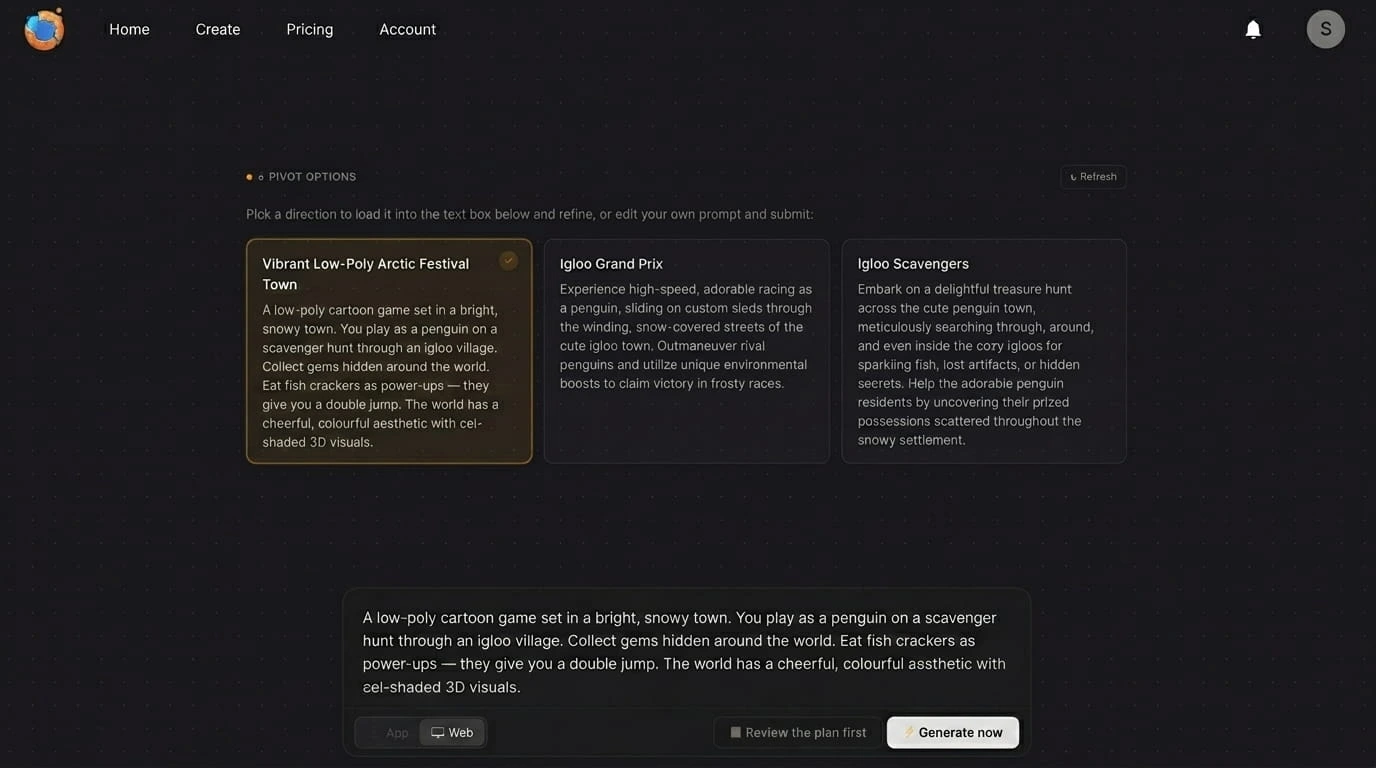
If something doesn't match your vision, adjust it here — before a single asset is created. Once you're happy, approve it.
Step 3: Wait for the Build (~10 minutes)
Orio generates your first playable draft. During this time it's creating the 3D world, placing all assets, writing and implementing the mechanics, coding all scripts, and generating the Game Design Document.
You don't do anything. You wait.
Step 4: Play
When the build finishes, play your game immediately in the browser. The mechanics work, the character moves, the gems are collectible, the fish crackers give you a double jump.
This is your starting point — a playable first draft to build from.
Step 5: Adjust — As Much or As Little As You Want
Prompting — the fastest way to change anything. Type what you want changed in the chat window:
- "Make the gems bigger and easier to spot"
- "Add more enemies near the igloos"
- "Change the power-up to a speed boost"
Orio updates the game based on what you type. You can also re-prompt specific scripts this way — describe what you want the script to do differently and Orio rewrites it for you.
The visual editor — drag, drop, scale, rotate, copy, paste. Reposition assets, adjust the world layout, fine-tune placement. No coding required.
The Game Design Document — a more convenient way to make broader changes, especially when you want to update something consistently across your whole game.
If you want to change how all your collectibles look, or how a type of enemy behaves, everything is laid out in the GDD — it's easier to work from there than through individual prompts. Any change in the GDD updates the game automatically.
Step 6: Share or Publish
Every game in Orio gets a shareable browser link. Send it to anyone — they play it instantly, no download required.
You can also publish to the Orio community, where other creators can discover and remix your game.
Tips for Better Prompts
- Include mood words
"Dark," "cosy," "retro," "bright" — these guide the visual direction significantly.
- Name a mechanic if you have one
"A scavenger hunt," "a chase game" gives Orio more to work with.
- Think about your protagonist
"A robot," "a child," "a dragon," "a penguin" — character choice shapes the whole feel.
- Don't over-specify
A sentence or two is ideal. Long detailed prompts can constrain generation in ways that produce less coherent results. Give Orio a direction, not a blueprint.
What Kinds of Games Work Best
Orio generates 3D games. The approach works well for platformers, scavenger hunts, adventure games, and exploration worlds. For 80% of the game concepts people actually have — a world, a character, an objective — Orio produces a solid playable first draft.
Ready to Build?
Orio is currently in early access. Join the Discord to get access as part of the founding creator group. Access starts on the free Creator plan, with Pro available for bigger build windows.
Not sure if AI game creation is right for your idea? Part 1 of this guide explains why traditional no-code tools haven't worked for most beginners — and why this approach is fundamentally different.