
You Have a Game Idea. Now What?
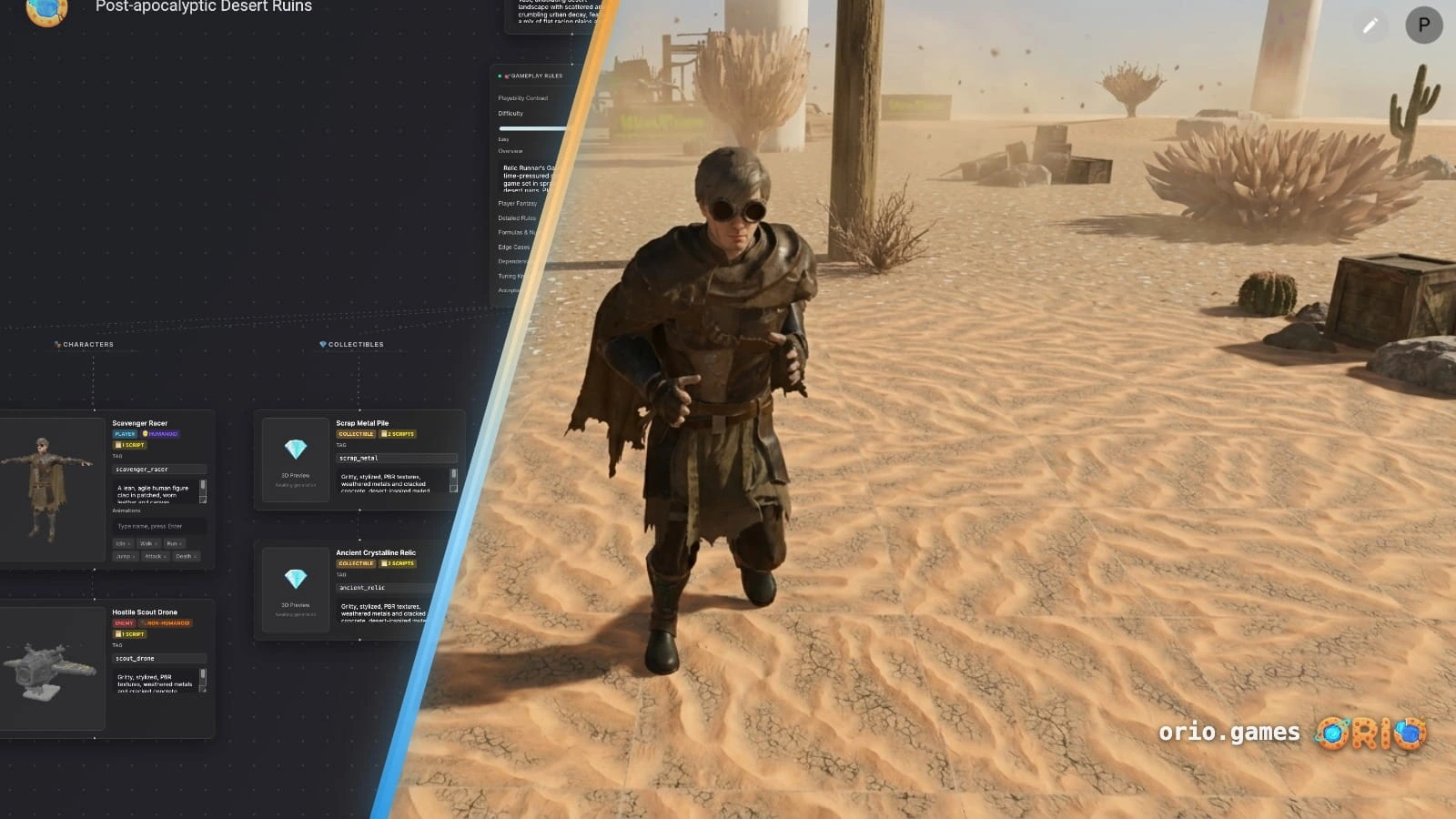
When most people say they have a game idea, they mean a world, a character, or a vibe. A snowy forest. A pirate ship. A tiny wizard in a city that never sleeps. They're already describing a game — they just don't have the vocabulary for the parts yet.
In Orio, that's enough. Describe what you're picturing and the platform figures out the rest — the loop, the mechanics, the character controller, the level, the assets, the animations, the scripts. None of that is your problem. You start with a sentence and end up with something playable. That's why building a game on Orio takes minutes, not months.
The sections below explain what each of those pieces actually is. You don't need to understand them to use Orio — but knowing what's being built for you makes you a better creator.
1. The concept
Before anything is built, you need to answer four questions:
- What kind of world is this? (Snowy, underwater, futuristic, medieval?)
- Who is the player? (A character, a creature, a vehicle?)
- What's the objective? (Collect something, survive, reach the end, defeat something?)
- What's the mood? (Tense, silly, peaceful, chaotic?)
These don't need detailed answers. A sentence is enough. But without them, you're building without a direction — and the game will feel like it.
You type your idea as a prompt. Orio expands it into a full game concept — filling in genre, characters, visuals, and objective — and shows it to you for review before anything is generated. You adjust anything that doesn't match your vision, then approve it.
2. The game engine
The game engine is the foundational software that makes everything else possible. It's the environment where your assets, scripts, physics, and lighting all come together to actually run as a game.
In traditional development, choosing an engine (like Unity, Unreal, or Godot) is the first wall you hit. You have to download massive files, learn a complex interface that looks like an airplane cockpit, and understand how the engine processes your game before you can even begin.
Orio is your engine, but it's completely invisible. There is nothing to download, install, or configure. The engine runs entirely in your browser, handling all the physics, rendering, and logic in the background so you can just focus on the creative decisions.
3. The game loop
The game loop is what the player does, over and over, for the whole game.
In Mario: move right → jump obstacles → reach the flag.
In Minecraft: explore → mine → craft → repeat.
In a scavenger hunt game: search → find → collect → search again.
Without a clear loop, players don't know what they're doing. They stop playing.
A working loop has three parts: an action (what the player does), a challenge (what makes it hard), and a reward (what keeps them going). All three need to be there.
When you approve your concept, Orio designs the loop — collectibles, win conditions, challenge structure — and builds it directly into the game. You don't define it yourself. You just play it and adjust from there.
4. Game mechanics
Mechanics are the rules that govern how everything works.
How high does the character jump? How much health do they have? What happens when they touch an enemy? Can they double-jump? Does speed increase over time?
Mechanics are what makes your game feel like your game. Two games with identical worlds can feel completely different based on their mechanics alone.
Mechanics are implemented as scripts — the code that runs the rules. Orio writes every script automatically during generation. To change a mechanic later, you describe it in plain language: "make the player run faster," "add a double jump," "reduce the enemy's health." Orio rewrites the script. You never touch code.
5. Character controller
The character controller defines how the player physically moves through the world. Walk speed. Jump height. How gravity pulls them down. Whether they slide on slopes or stop dead. How they collide with walls, enemies, and objects.
It's the difference between a character that feels good to control and one that feels clunky. Players feel it within seconds of picking up a game, even if they can't name what they're reacting to.
In traditional development, tuning a character controller means editing physics parameters in code — and it takes a lot of iteration to get right.
The character controller is generated automatically based on your game type. A platformer gets one tuned for jumping and running. An exploration game gets one suited to smooth, open movement. To adjust it later, describe the change: "make the player move faster," "reduce gravity," "make jumps feel floatier." Orio updates the physics.
6. Level design
Level design is the physical world. The terrain. The layout. Where things are placed. How the player gets from start to finish.
Good level design guides players without them noticing it. The path feels obvious, but it's been carefully constructed. Every obstacle is deliberate. Every reward is placed where it will feel satisfying to find.
In traditional game development, level design is one of the most time-consuming parts of building a game. Assets need to be modelled, placed, scaled, lit, and tested — manually, one by one.
The entire 3D world is generated from your concept — terrain, assets, placement, lighting. Once it exists, you can reshape it through the visual editor (drag, scale, rotate, copy, paste assets) or by prompting changes in the chat window. Or invite friends to co-build it with you in real time.
7. Assets
Assets are everything the player sees. Characters. Objects. Trees. Buildings. Collectibles. The sky.
In traditional game development, assets are either built from scratch in 3D modelling software or sourced from asset stores. Either way, they need to match the visual style of the game and be properly integrated into the engine. This is a discipline in itself.
Assets are generated alongside the world. They match the visual style of your game automatically. No modelling software. No asset store. No integration step.
8. Animations
Animations are what make the world feel alive. The way a character runs. How an enemy staggers when hit. The spin of a collectible. The swing of a door.
A game can function without good animation — but it won't feel satisfying to play. Animation is the layer between "technically working" and "actually fun to watch."
In traditional development, animation is a discipline in itself: rigs, keyframes, blend trees, and a state machine that decides which animation plays when. Getting it right typically takes a dedicated animator.
Animations are generated alongside your assets. Characters come with walk, run, jump, and idle animations already in place. To add more — a hit reaction, a victory pose, a stumble on impact — describe it in plain language. Orio handles the rigging and state logic.
9. Scripts
Scripts are the code that makes the game run.
They control what happens when the player jumps. What triggers the win condition. How enemies move. When the power-up activates. Every interactive element in a game is governed by a script.
Without scripts, nothing works. But writing them requires knowing how to program.
All scripts are written automatically during generation. Every mechanic and interaction already has a script behind it when the game loads. To change how something works, you describe it in plain language. Orio handles the rest.
10. The Game Design Document
This is the one concept in this list worth pausing on — because it's the one most first-time creators skip, and skipping it is usually why half-finished games stay that way.
A Game Design Document — GDD — is the plan that ties everything together.
It maps out the concept, the mechanics, the level structure, the assets, and the rules — all in one place. It keeps decisions consistent and gives everyone working on the game a shared reference as it evolves.
In professional studios, a GDD is written before anything is built. But you can only write one once you know what belongs in it — which is what every section above this one was for.
Most first-time creators skip this step entirely. That's usually why things go sideways mid-build — there's no record of what you decided, or why.
A GDD is generated automatically alongside your game. It stays connected to the editor — changes made through the GDD update the game. You don't need to write it. You just need to use it.
What it adds up to
Concept. Game engine. Game loop. Mechanics. Character controller. Level design. Assets. Animations. Scripts. Documentation.
In traditional game development, these are ten separate disciplines. You'd work through them in sequence — usually over months — managing the connections between them yourself. Most people who start this way don't finish.
In Orio, you describe your idea in a sentence. The concept review takes a few minutes. The generation takes around ten.
The result is a playable first draft of your game — all ten parts, handled.
Start a Session
Already have a game in mind? Dive in and see how easy it is to turn your idea into reality.